LibraryDocsPricingHome
  • App shell
  • Dashboard overview
  • Sign in
  • Sign up
  • Onboarding checklist
  • Settings layout
  • Profile settings
  • Danger zone
  • Data table
  • Empty states
  • Analytics reportPro
  • Setup wizardPro
  • Invite teammatesPro
  • Notification preferencesPro
  • SecurityPro
  • IntegrationsPro
  • Plan pickerPro
  • Usage and limitsPro
  • Invoice historyPro
  • Payment methodsPro
  • Cancel flowPro
  • Members tablePro
  • Roles and permissionsPro
  • Audit logPro
  • Record detailPro
  • Database viewPro
  • Kanban boardPro
  • CSV importPro
  • Calendar and schedulePro
  • Notification centerPro
  • Activity feedPro
  • Home with agentsPro
  • Agent chatPro
  • Agent side panelPro
  • Approvals inboxPro
  • Agents directoryPro
  • Agent settingsPro
  • Agent run detailPro
  • Bulk change reviewPro
  • Agent monitor
  • Alert
  • App logo
  • Avatar
  • Badge
  • Breadcrumb
  • Button
  • Card
  • Checkbox
  • Command menu
  • Compact breakdown
  • Connection access row
  • Date picker
  • Date range picker
  • Dialog
  • Dropdown menu
  • Dropzone
  • Empty state
  • Field
  • Field suggestion
  • Filter menu
  • Input
  • KPI chart
  • Kbd
  • OTP input
  • Pagination
  • Popover
  • Profile menu
  • Progress
  • Radio group
  • Running now
  • Segmented control
  • Select
  • Separator
  • Setup guide
  • Sidebar
  • Skeleton
  • Spinner
  • Stepper form
  • Switch
  • Table
  • Tag input
  • Textarea
  • Time picker
  • Toast
  • Toggle group
  • Tooltip
  • Usage meter
  • Billing schedulePro
  • Breakdown chartPro
  • Comment threadPro
  • Integration pickerPro
  • Integration settingsPro
  • AI answerPro
  • Approval cardPro
  • Attachment chipPro
  • Chat composerPro
  • Code blockPro
  • Inline diffPro
  • Message actionsPro
  • Model pickerPro
  • Suggestion chipsPro
  • Thinking loaderPro
  • Thinking statePro
  • Tool call cardPro
  • User messagePro
  • Agent checkpointsPro
  • Agent fleetPro
  • Agent inboxPro
  • Agent lanesPro
  • Agent trailPro
  • Approval that escalatesPro
  • Autonomy dialPro
  • Away summaryPro
  • Bulk change reviewPro
  • Context windowPro
  • Decision cardPro
  • Delegate fieldPro
  • Diff timelinePro
  • Escalation rulesPro
  • Guidance layersPro
  • Memory panelPro
  • Memory suggestionPro
  • Promote to recurringPro
  • Resource access pickerPro
  • Run log with undoPro
Sign inGet Pro
ScreensAuth and onboardingSign up

Sign up

Free

Sign up with workspace creation in four steps: account, workspace, invite, done.

$
Sign in
Sign in to copy

Installation

Free account, sign in to read

Props

Free account, sign in to read

Usage

Free account, sign in to read
Sign inOnboarding checklist

More in Auth and onboarding

Auth and onboarding
Sign in

Google, Microsoft and SAML SSO, work email with a magic link and a 6-digit code, and a product visual.

Sign in to copy
Auth and onboarding
Onboarding checklist

A setup checklist on Home: six steps, each with a reason and one action.

Sign in to copy
Auth and onboardingPro
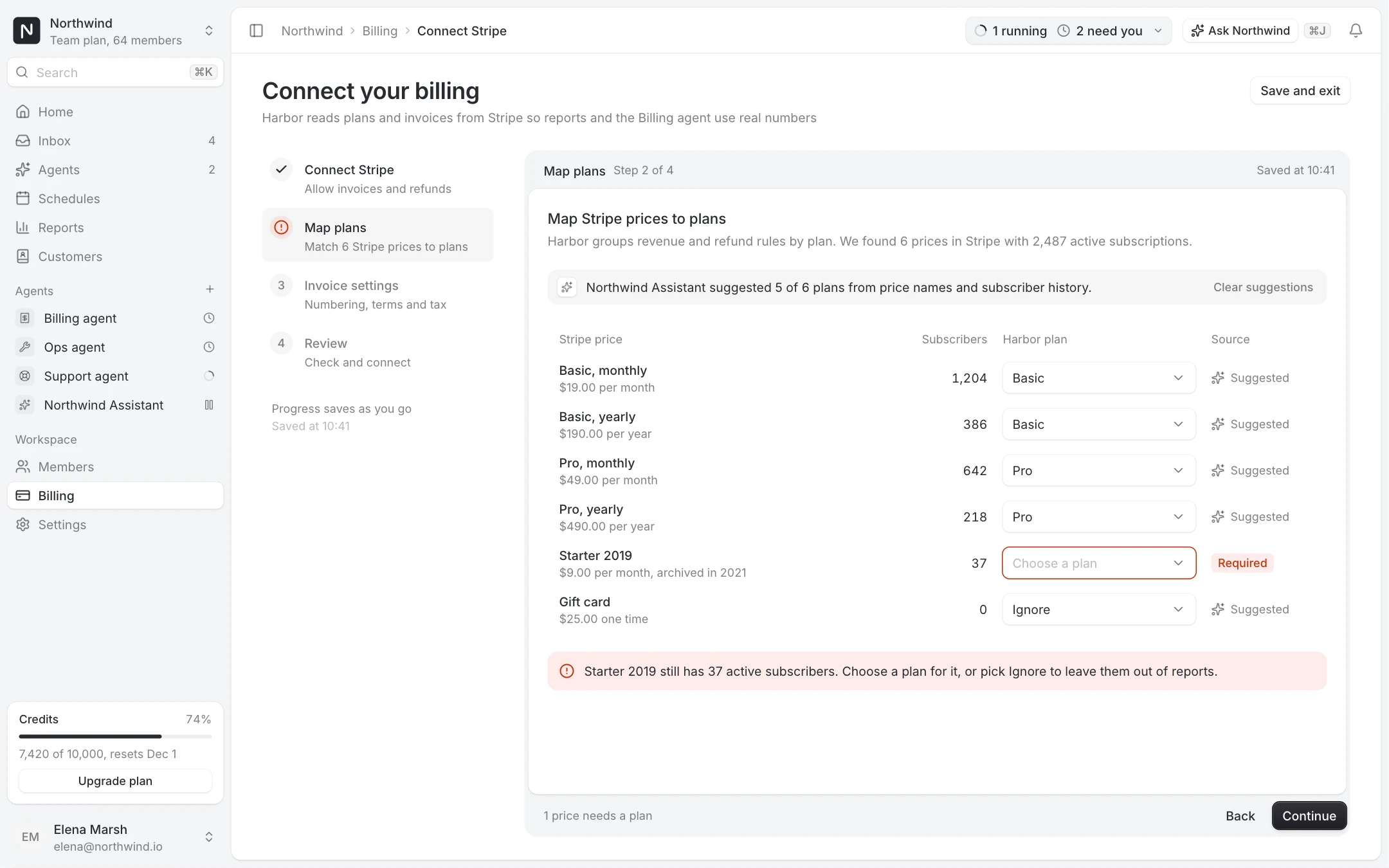
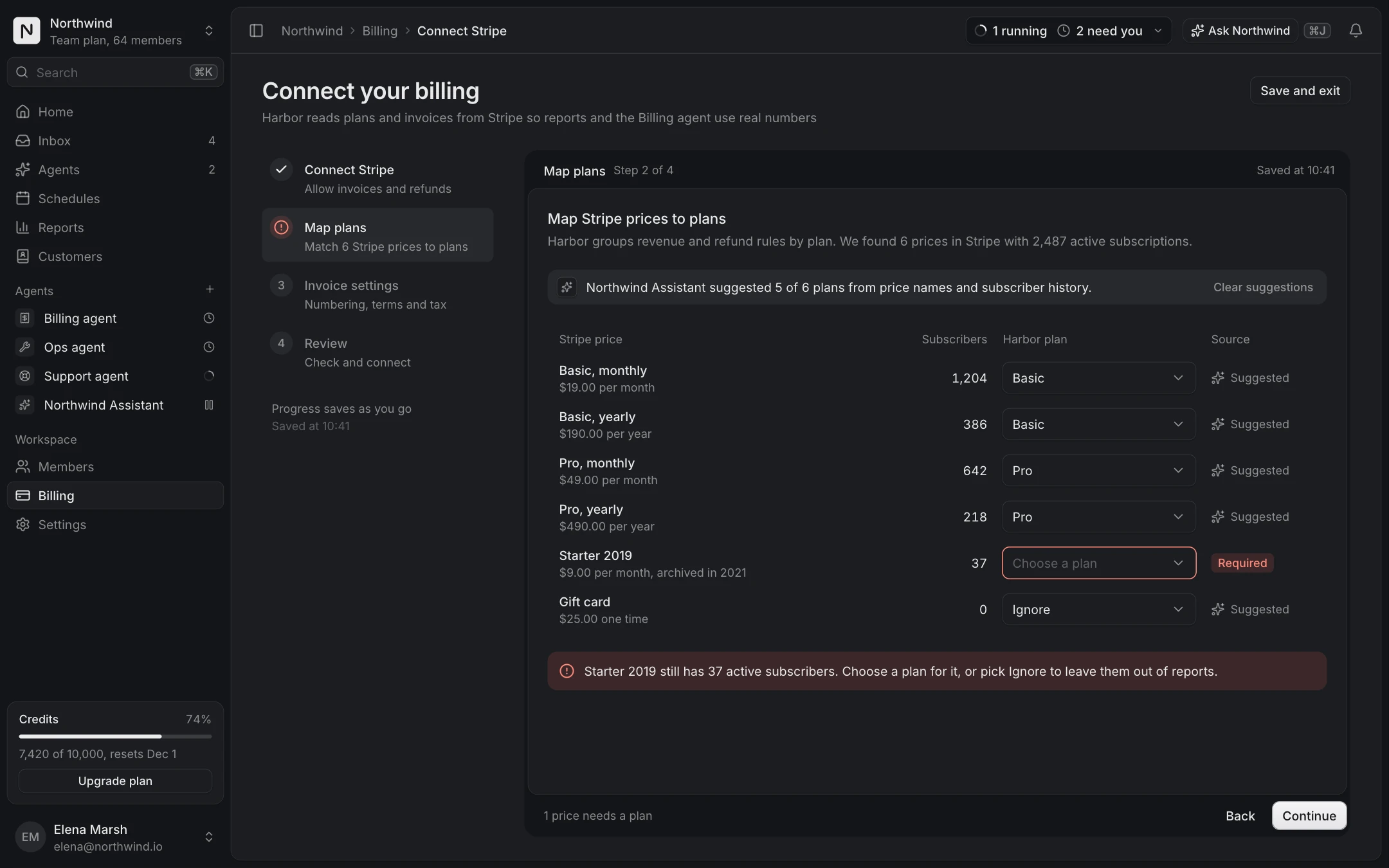
Setup wizard

A four step wizard to connect billing, with validation, saved progress and resume.

Pro, unlock to copy
HarborAlready have an account?
Step 2 of 4Workspace

Name your workspace

This is where your team and its agents work together. You can rename it later.

NorthwindTab
From your email domain, northwind.ioTab to accept
harbor.app/northwindTab
Matches the workspace nameTab to accept

Team size

© 2026 HarborPrivacyTermsHelp

Your workspace takes shape as you go

Name it, invite your team, then put agents to work.

Northwind

harbor.app/northwind

Team trial
Members1 member
  • EMElena Marshelena@northwind.ioOwner

14-day trial on the Team plan, ends Nov 26, 2026

Examples

Account

Step 1: Google or Microsoft, or name, work email and a password with a strength meter. The preview waits for a workspace.

HarborAlready have an account?
Step 1 of 4Account

Create your account

Free for 14 days on the Team plan. No card needed.

or

Strong password.

By creating an account you agree to the Terms of service and the Privacy policy.

© 2026 HarborPrivacyTermsHelp

Your workspace takes shape as you go

Name it, invite your team, then put agents to work.

Your workspace

harbor.app/your-workspace

Team trial
Members1 member
  • EMElena Marshelena@northwind.ioOwner

14-day trial on the Team plan, ends Nov 26, 2026

Invite

Step 3: paste a list of addresses, pick the role, or let anyone at the email domain join. Invites show up in the preview as they are added.

HarborAlready have an account?
Step 3 of 4Invite

Invite your teammates

They join Northwind as members. You can change roles at any time.

Optional
tomas@northwind.iopriya@northwind.io

Paste a whole list: commas, spaces or new lines.

2/10

You can skip this and invite people later from Members.

© 2026 HarborPrivacyTermsHelp

Your workspace takes shape as you go

Name it, invite your team, then put agents to work.

Northwind

harbor.app/northwind

Team trial
Members1 member, 2 invited
  • EMElena Marshelena@northwind.ioOwner
  • TRTomas Reyestomas@northwind.ioInvited
  • PNPriya Nairpriya@northwind.ioInvited

14-day trial on the Team plan, ends Nov 26, 2026

Done

Step 4: the workspace is live, with the next steps and one way in.

HarborAlready have an account?
Step 4 of 4Done

Northwind is ready

Your workspace is live at harbor.app/northwind. Tomas and Priya will get their invite by email.

Next steps

1 of 3 done
© 2026 HarborPrivacyTermsHelp

Your workspace takes shape as you go

Name it, invite your team, then put agents to work.

Northwind

harbor.app/northwind

Team trial
Members1 member, 2 invited
  • EMElena Marshelena@northwind.ioOwner
  • TRTomas Reyestomas@northwind.ioInvited
  • PNPriya Nairpriya@northwind.ioInvited

14-day trial on the Team plan, ends Nov 26, 2026