LibraryDocsPricingHome
  • App shell
  • Dashboard overview
  • Sign in
  • Sign up
  • Onboarding checklist
  • Settings layout
  • Profile settings
  • Danger zone
  • Data table
  • Empty states
  • Analytics reportPro
  • Setup wizardPro
  • Invite teammatesPro
  • Notification preferencesPro
  • SecurityPro
  • IntegrationsPro
  • Plan pickerPro
  • Usage and limitsPro
  • Invoice historyPro
  • Payment methodsPro
  • Cancel flowPro
  • Members tablePro
  • Roles and permissionsPro
  • Audit logPro
  • Record detailPro
  • Database viewPro
  • Kanban boardPro
  • CSV importPro
  • Calendar and schedulePro
  • Notification centerPro
  • Activity feedPro
  • Home with agentsPro
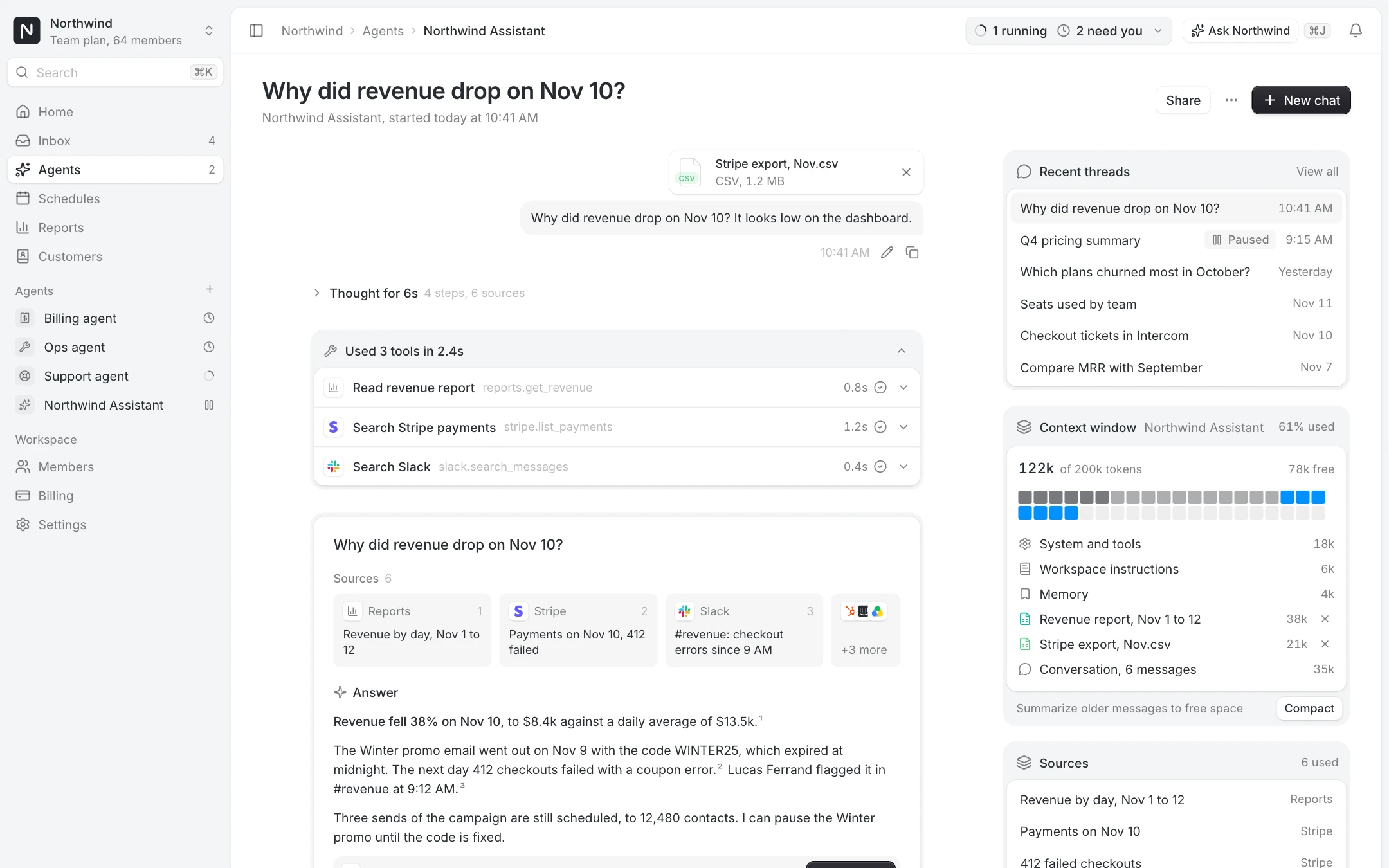
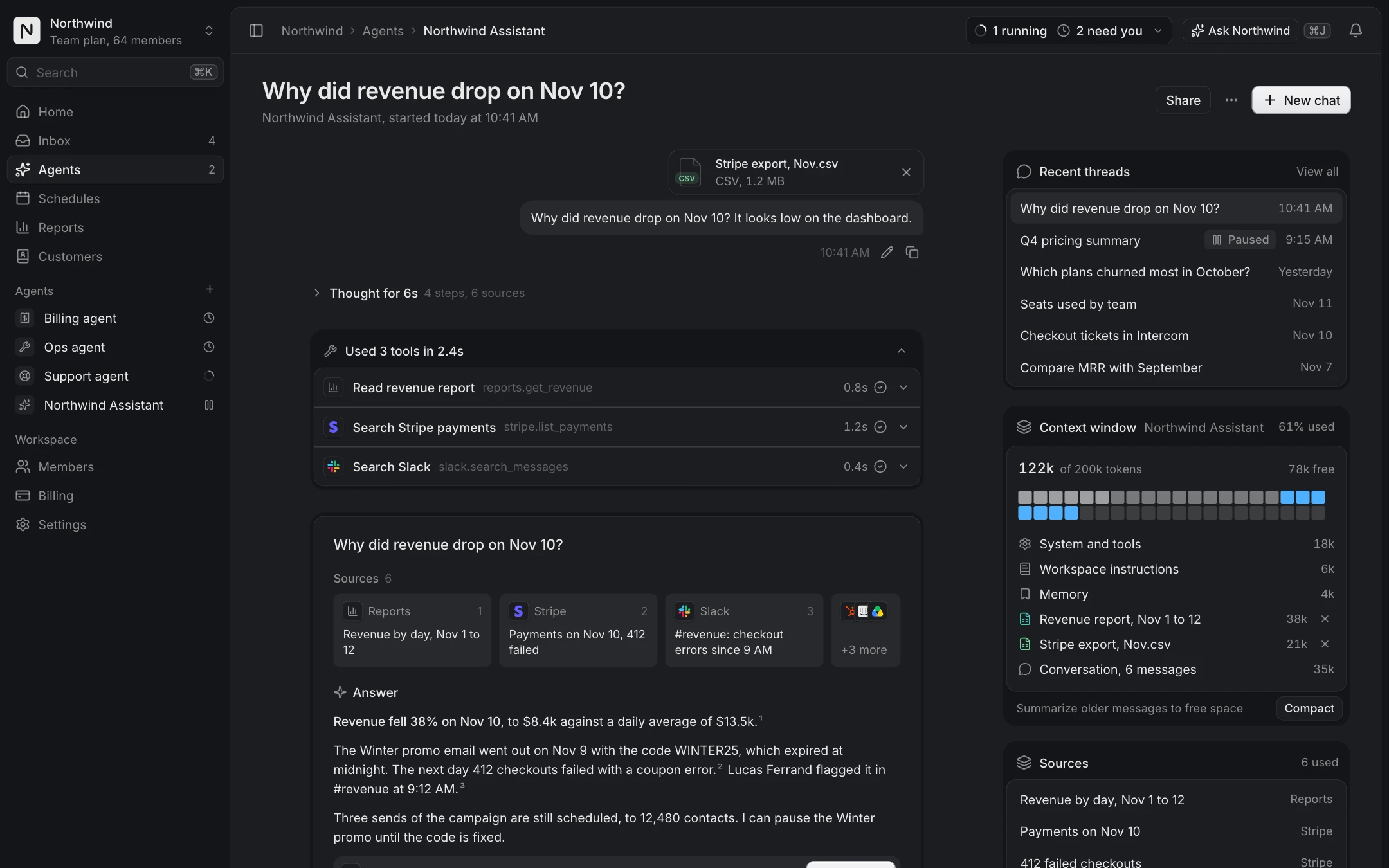
  • Agent chatPro
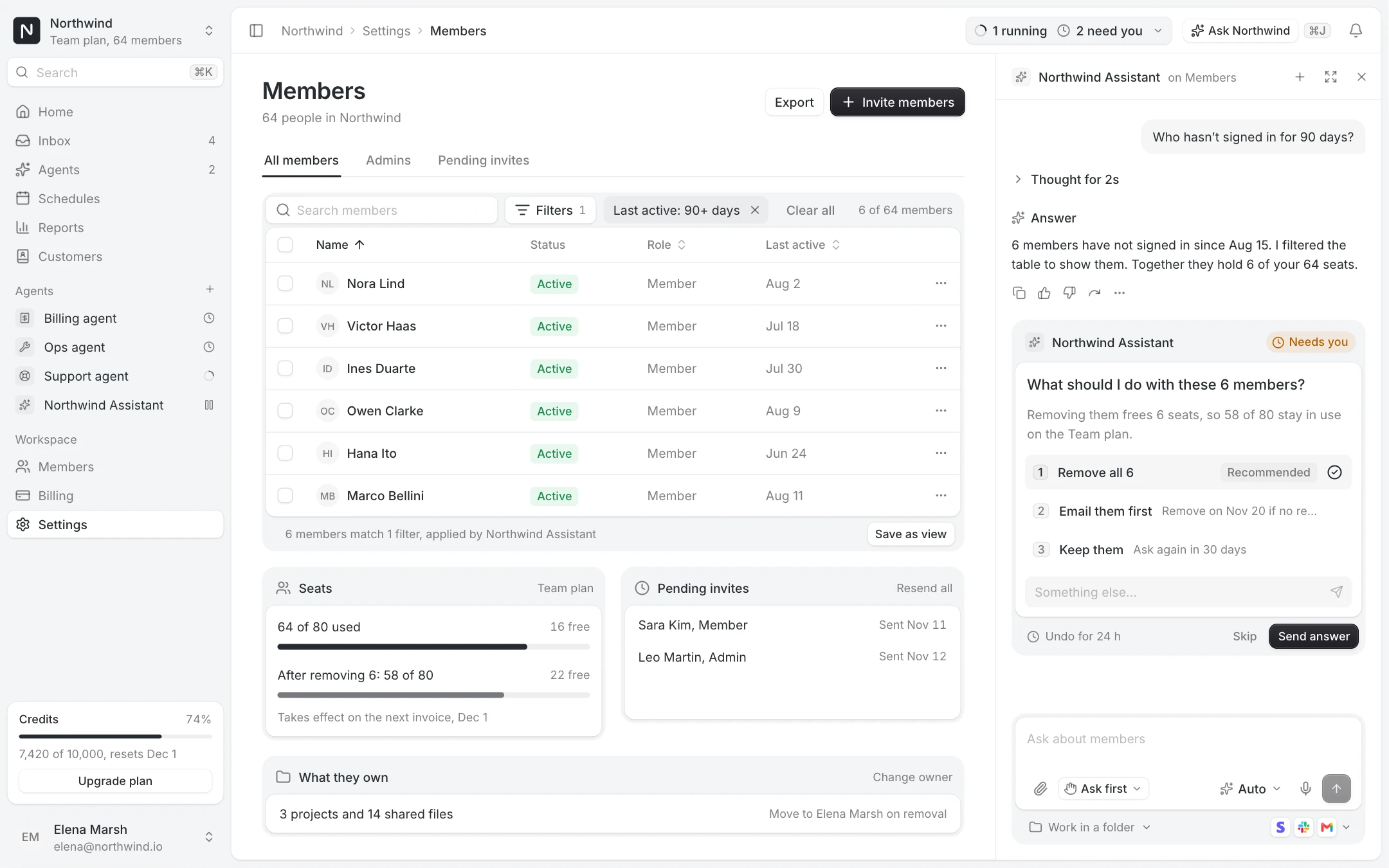
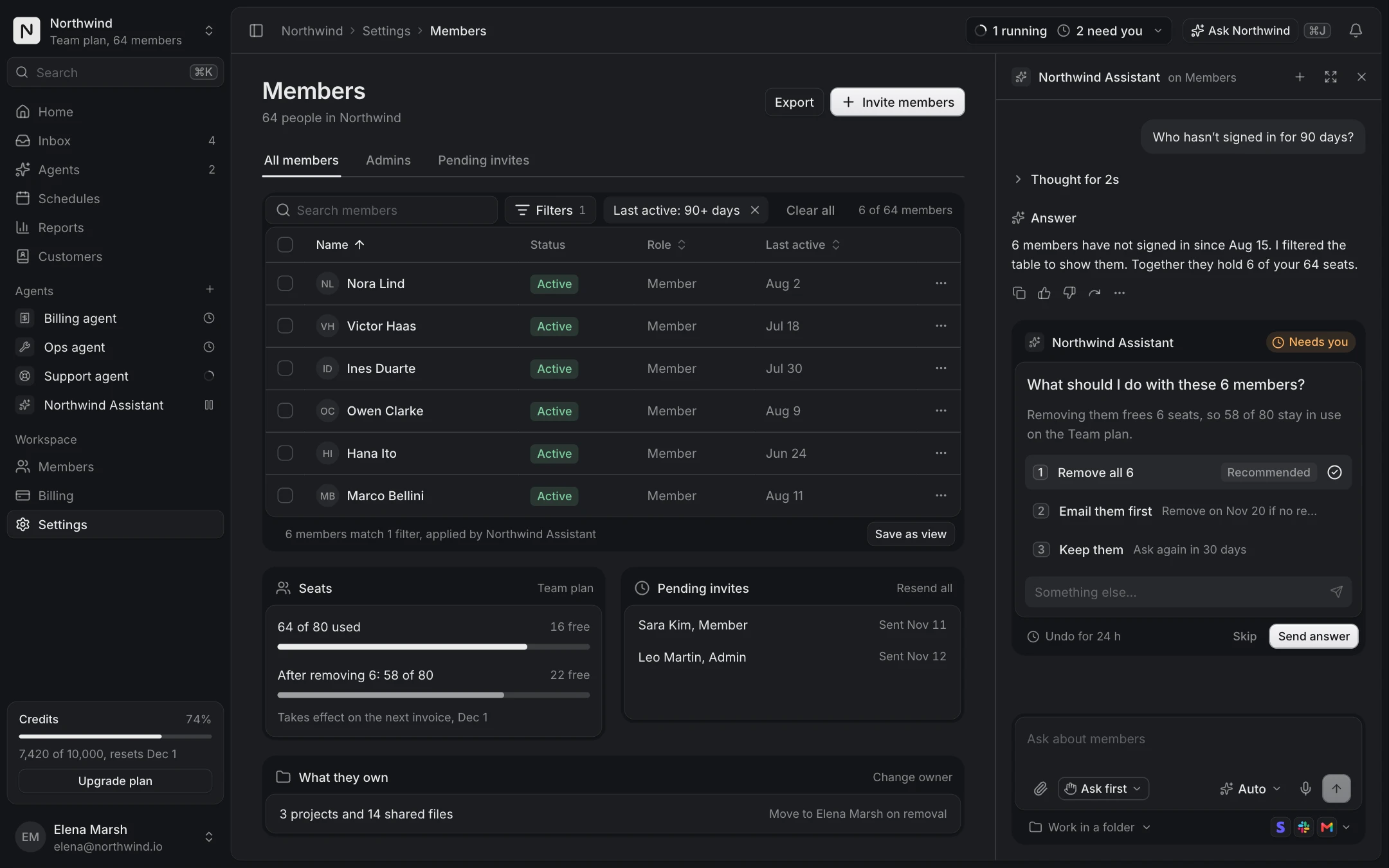
  • Agent side panelPro
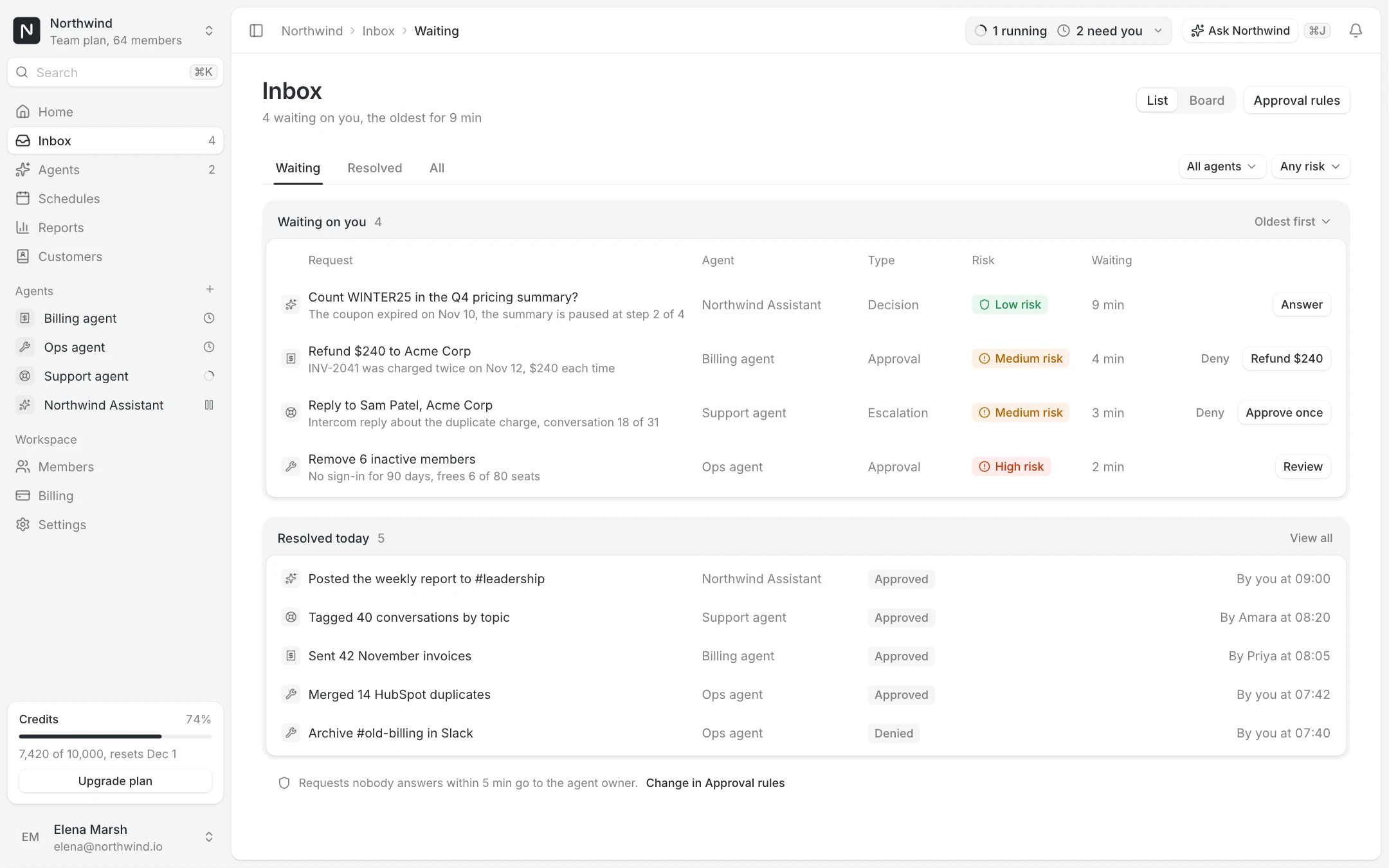
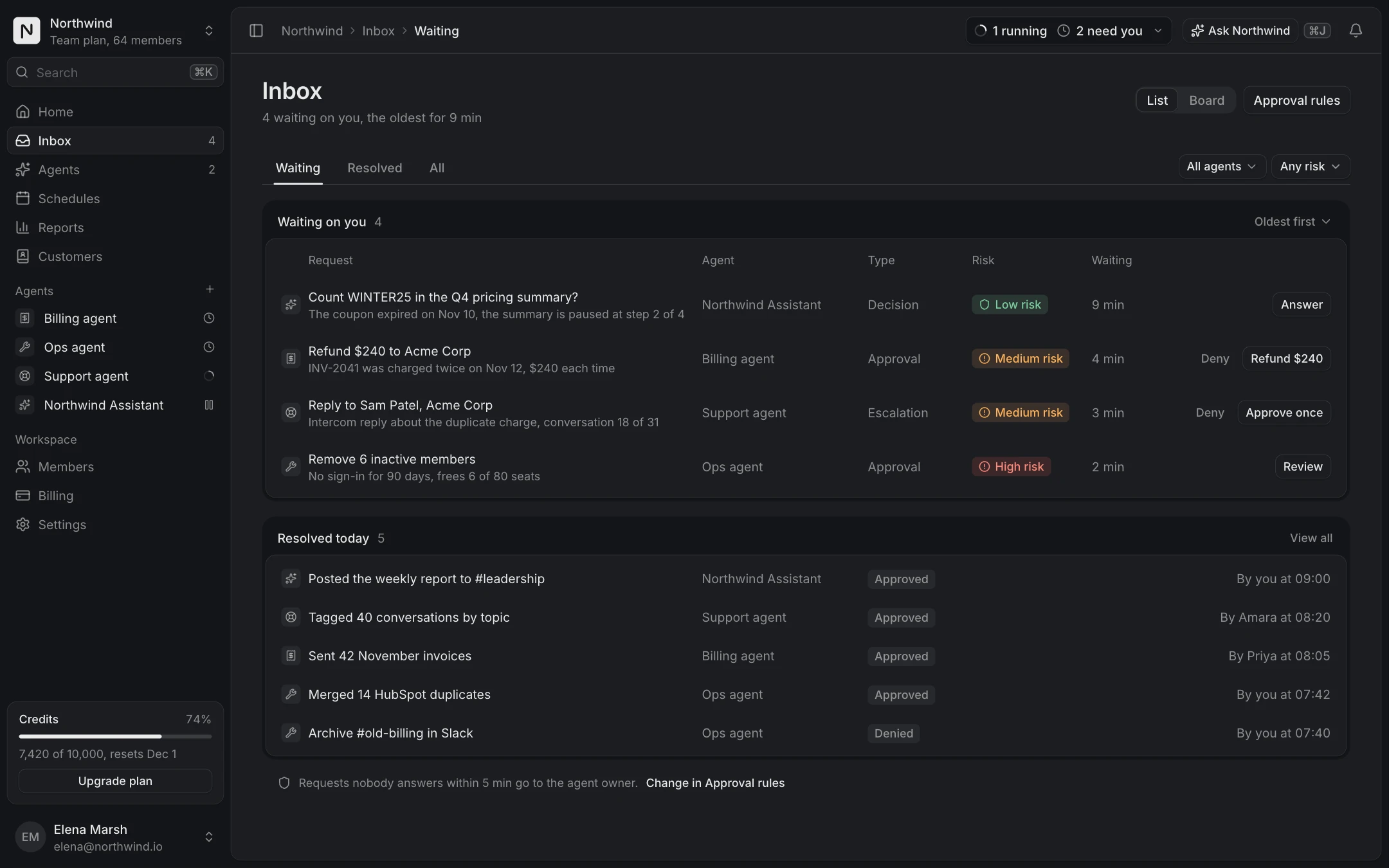
  • Approvals inboxPro
  • Agents directoryPro
  • Agent settingsPro
  • Agent run detailPro
  • Bulk change reviewPro
  • Agent monitor
  • Alert
  • App logo
  • Avatar
  • Badge
  • Breadcrumb
  • Button
  • Card
  • Checkbox
  • Command menu
  • Compact breakdown
  • Connection access row
  • Date picker
  • Date range picker
  • Dialog
  • Dropdown menu
  • Dropzone
  • Empty state
  • Field
  • Field suggestion
  • Filter menu
  • Input
  • KPI chart
  • Kbd
  • OTP input
  • Pagination
  • Popover
  • Profile menu
  • Progress
  • Radio group
  • Running now
  • Segmented control
  • Select
  • Separator
  • Setup guide
  • Sidebar
  • Skeleton
  • Spinner
  • Stepper form
  • Switch
  • Table
  • Tag input
  • Textarea
  • Time picker
  • Toast
  • Toggle group
  • Tooltip
  • Usage meter
  • Billing schedulePro
  • Breakdown chartPro
  • Comment threadPro
  • Integration pickerPro
  • Integration settingsPro
  • AI answerPro
  • Approval cardPro
  • Attachment chipPro
  • Chat composerPro
  • Code blockPro
  • Inline diffPro
  • Message actionsPro
  • Model pickerPro
  • Suggestion chipsPro
  • Thinking loaderPro
  • Thinking statePro
  • Tool call cardPro
  • User messagePro
  • Agent checkpointsPro
  • Agent fleetPro
  • Agent inboxPro
  • Agent lanesPro
  • Agent trailPro
  • Approval that escalatesPro
  • Autonomy dialPro
  • Away summaryPro
  • Bulk change reviewPro
  • Context windowPro
  • Decision cardPro
  • Delegate fieldPro
  • Diff timelinePro
  • Escalation rulesPro
  • Guidance layersPro
  • Memory panelPro
  • Memory suggestionPro
  • Promote to recurringPro
  • Resource access pickerPro
  • Run log with undoPro
Sign inGet Pro
LibraryAI chat and agents

Shadcn AI chat components

Everything a chat with an AI assistant shows, from the message box to the approval before an action. Built for products where the assistant works inside the app, not just in a chat window.

18 items, 2 free

AI chatPro
Chat composer

Message, attachments, approval mode, model, voice and send, with the folder and apps on the tray.

Pro, unlock to copy
AI chatPro
AI answer

An assistant answer: the sources it read, inline citations, follow-ups and actions.

Pro, unlock to copy
AI chatPro
Thinking state

What the assistant did before answering, as a summary or a list of steps on a rail.

Pro, unlock to copy
AI chatPro
Tool call card

A tool call: running, done or failed, opened with its arguments and result.

Pro, unlock to copy
AI chatPro
Approval card

The assistant asks before an action with side effects: what, the risk, the details, approve or deny.

Pro, unlock to copy
AI chatPro
Model picker

Choose the model for the next message, compare speed, quality and cost.

Pro, unlock to copy
AI chatPro
User message

A message from the user, aligned right, with an attachment and hover actions.

Pro, unlock to copy
AI chatPro
Message actions

The quiet row under an assistant reply: copy, rate, regenerate and read aloud.

Pro, unlock to copy
AI chatPro
Suggestion chips

Prompts the user can send in one click, above the composer or under an answer.

Pro, unlock to copy
AI chatPro
Attachment chip

A file in a message or the composer: kind, name, size, progress or an error with retry.

Pro, unlock to copy
AI chatPro
Code block

Code to read and copy: file name, copy button, line numbers and syntax colours from the tokens.

Pro, unlock to copy
AI chatPro
Inline diff

Suggested edits inside the text, accepted or rejected one by one or all at once.

Pro, unlock to copy
AI chatPro
Thinking loader

Compact pill shown while the assistant works, then the time it took to think.

Pro, unlock to copy
Agents
Running now

Status pill for background agent runs: how many run, how many need you, with a dropdown to act.

Sign in to copy
Agents
Agent monitor

One agent and what it is doing now, with live status, the task, its tools and the spend so far. Folds into a pill.

Sign in to copy
AI and agentsPro
Agent chat

A full-page conversation: reasoning, tool calls, cited answer, approval and the context window.

Pro, unlock to copy
AI and agentsPro
Agent side panel

The assistant as a panel docked beside the page, working on the table with you.

Pro, unlock to copy
AI and agentsPro
Approvals inbox

Everything your agents are waiting on, in one queue, with the trail that led to each.

Pro, unlock to copy

The parts of an AI chat

A chat interface for an assistant has more states than a messaging app. The Chat composer takes the message, attachments, the approval mode, the model and voice. While the assistant works, the Thinking loader shows it is busy and the Thinking state lists what it did before answering. Tool calls get their own card, running, done or failed, with the arguments and result one click away.

The answer itself is an AI answer: the sources it read, inline citations, follow-up questions and the actions it suggests. Under it, Message actions give copy, rate, regenerate and read aloud.

Ask before acting

As soon as an assistant can change data, people need to see and approve what it is about to do. The Approval card states the action, the app it runs in, the risk and the details, with approve or deny and an expiry. The Approvals inbox screen gathers every pending request in one queue, with the trail that led to each.

From a component to a full agent screen

Use the components inside your own chat, or start from a screen: Agent chat is a full-page conversation with reasoning, tool calls, a cited answer and the context window; Agent side panel docks the assistant beside any page so it works on the table with the user.

Running now and Agent monitor, the two status components for background runs, are free with an account. The chat components and agent screens come with Pro.

Questions

Yes. The components take messages, tool calls and states as props, so you map the SDK's streamed messages onto them. They do not call any model themselves.

Yes. Every page has a prompt for Claude, Cursor and v0, and the shadcn MCP server installs items from the Joinery namespace on request.

Yes. Enter sends, typing / at the start opens the command menu and arrow keys move through it, and every control has a label.

More collections

ChartsDashboards and adminSettings and billing